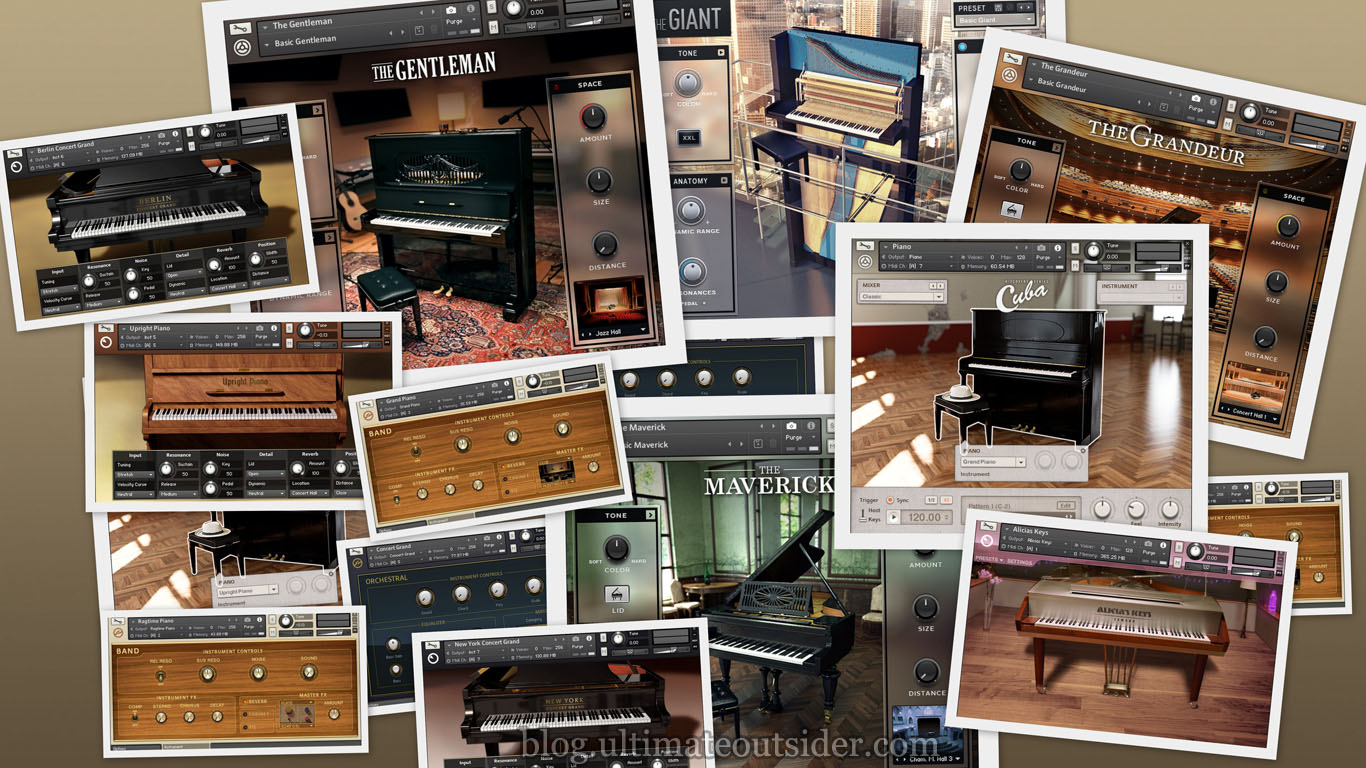
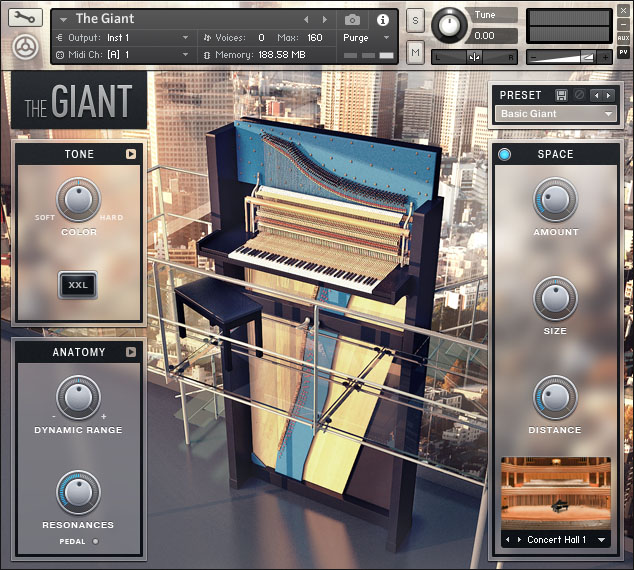
Native Instruments has produced sample-based acoustic piano instruments in one form or another for quite some time. Because the company offers so many piano options, I frequently see people asking which ones are best, or what the differences are between the various piano products. I hope to answer most of those questions here. I'll also provide some audio demos of every current and recent Native Instruments piano- so you can hear the differences for yourself.
AKOUSTIK PIANO
In 2006, Native Instruments released
Akoustik Piano, an instrument that included sampled versions of four different pianos. While it used the Kontakt engine under the hood, Akoustik Piano could run as a standalone application or a plugin. Native Instruments
discontinued this product in 2009, however the sample content was reused in several ways in subsequent products.
You can learn more about Akoustik Piano and other legacy Native Instruments products at my
Complete History of Komplete.
KONTAKT FACTORY LIBRARY
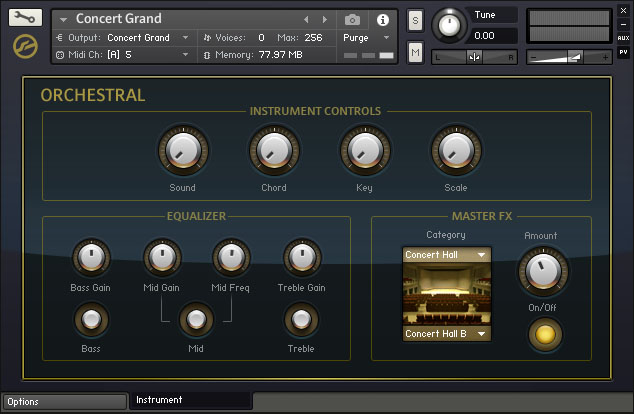
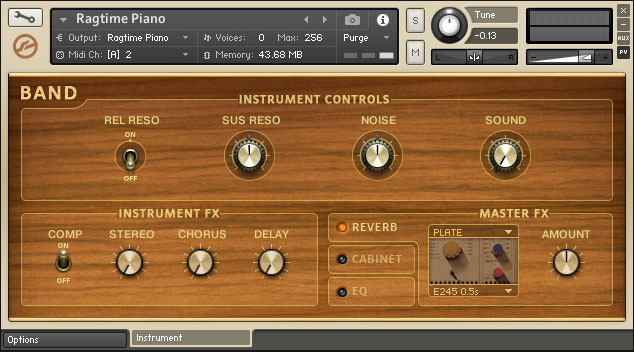
Kontakt ships with several basic pianos. They don't have fancy user interfaces, but they offer most of the standard tweakable parameters- and a number of not-so-standard parameters for pianos. Some of the piano samples in the Kontakt factory library come from Akoustik Piano, but the library also includes some piano sounds that don't appear anywhere else.
The Kontakt pianos are split across the Band and Orchestral categories, which have different feature sets. Despite their basic appearance these pianos do feature multiple velocity and microphone layers. Most of these pianos also have a very small memory footprint, partly because they are not one-sample-per-note.
- Features (Band instruments): Mic and resonance control, compression, chorus, delay, convolution reverb, amp simulation, EQ, velocity curve, pitch bend range, transpose, tuning, parameter randomization.
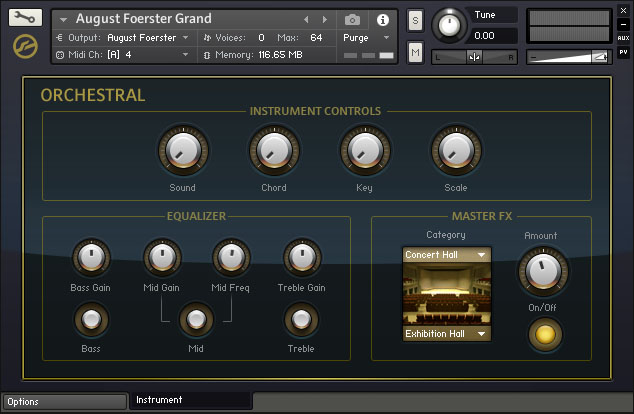
- Features (Orchestral instruments): EQ, tuning/scale, convolution reverb, velocity curve, pitch bend range, transpose, parameter randomization.
- Presets/variations: None of the Kontakt acoustic pianos include presets or variations, although they are highly customizable.
- Available in: Komplete 10
 , Komplete 10 Ultimate
 , Kontakt 5.
August Foerster Grand (Orchestral)
- Original piano: Unknown model manufactured by August Foerster
- Preset or NKI file used in sound demo: August Foerster Grand.nki
- Sample data size: 0.38 GB
- Sample rate/bit-depth: 44.1kHz/16-bit
- Number of groups/zones: 16/605
- Velocity layers: 10
- Minimum Kontakt version required: 5.0.0
- Notes: This is one of the oldest pianos in the Native Instruments catalog. Its default maximum voice setting was only 64, which was simply not enough voices for this sample clip, which includes a lot of sustan (making it a rather voice-hungry composition). I doubled the voice count to 128 for the demo recording.
- Sound demo: Listen
Concert Grand (Orchestral)
- Original piano: Steinway D
- Preset or NKI file used in demo: Concert Grand.nki
- Sample data size: 0.82 GB
- Sample rate/bit-depth: 44.1kHz/24-bit
- Number of groups/zones: 93/985
- Velocity layers: 10
- Minimum Kontakt version required: 5.0.0
- Notes: This is a "lite" version of the New York Concert Grand.
- Sound demo: Listen
Grand Piano (Band)
- Original piano: Boesendorfer 290 Imperial
- Preset or NKI file used in demo: Grand Piano.nki
- Sample data size: 0.16 GB
- Sample rate/bit-depth: 44.1kHz/24-bit
- Number of groups/zones: 6/155
- Velocity layers: 3
- Minimum Kontakt version required: 5.0.0
- Notes: This is a "lite" version of the Vienna Concert Grand.
- Sound demo: Listen
Ragtime Piano (Band)
- Original piano: Steingraeber 130
- Preset or NKI file used in demo: Ragtime Piano.nki
- Sample data size: 0.17 GB
- Sample rate/bit-depth: 44.1kHz/24-bit
- Number of groups/zones: 6/189
- Velocity layers: 3
- Minimum Kontakt version required: 5.0.0
- Notes: This uses the same samples as Upright Piano.
- Sound demo: Listen
Upright Piano (Band)
- Original piano: Steingraeber 130
- Preset or NKI file used in demo: Upright Piano.nki
- Sample data size: 0.17 GB
- Sample rate/bit-depth: 44.1kHz/24-bit
- Number of groups/zones: 6/189
- Velocity layers: 3
- Minimum Kontakt version required: 5.0.0
- Notes: This is a "lite" version of the Upright Piano from the Classic Piano Collection.
- Sound demo: Listen
CLASSIC PIANO COLLECTION
From 2010 through 2014, these pianos were available for separate purchase or as a bundle, but they were dropped from Native Instruments' product lineup at the time of Komplete 10's release. These all take sample content from Akoustik Piano, like some of the instruments in the Kontakt library do- although the factory library versions are more compact and do not ship with any presets/variations. These versions utilize more individual samples than the Kontakt library versions, explaining their significantly larger memory footprint.
- Features: Mic and resonance control, pedal style, velocity curve, tuning, convolution reverb, lid position.
- Presets/variations: While the individual instruments do not use snapshots or have any built-in preset facility, each of these pianos includes several different NKI files, each representing different variations.
- Available in: Komplete 9
 and Komplete 9 Ultimate
 .
.
Berlin Concert Grand
- Original piano: Bechstein D 280
- Preset or NKI file used in demo: Berlin Concert Grand.nki
- Sample data size: 2.56 GB
- Sample rate/bit-depth: 44.1kHz/24-bit
- Number of groups/zones: 93/984
- Velocity layers: 10
- Minimum Kontakt version required: 5.0.1
- Notes: This is the only one of the Classic Piano Collection pianos that doesn't appear to have any representation in the Kontakt 5 factory library.
- Sound demo: Listen
New York Concert Grand
- Original piano: Steinway D
- Preset or NKI file used in demo: New York Concert Grand.nki
- Sample data size: 2.15 GB
- Sample rate/bit-depth: 44.1kHz/24-bit
- Number of groups/zones: 93/985
- Velocity layers: 10
- Minimum Kontakt version required: 4.8.0
- Sound demo: Listen
Upright Piano
- Original piano: Steingraeber 130
- Preset or NKI file used in demo: Upright Piano.nki
- Sample data size: 2.49 GB
- Sample rate/bit-depth: 44.1kHz/24-bit
- Number of groups/zones: 93/991
- Velocity layers: 10
- Minimum Kontakt version required: 5.0.1
- Sound demo: Listen
Vienna Concert Grand
- Original piano: Boesendorfer 290 Imperial
- Preset or NKI file used in demo: Vienna Concert Grand.nki
- Size in RAM: 141 MB
- Sample data size: 2.96 GB
- Sample rate/bit-depth: 44.1kHz/24-bit
- Number of groups/zones: 102/1071
- Velocity layers: 10
- Minimum Kontakt version required: 5.0.1
- Sound demo: Listen
DEFINITIVE PIANO COLLECTION
Introduced in 2014, these pianos are considered a higher-quality replacement for the "Classic" models that have since been dropped from the library, although they represent a different set of original pianos. These were produced by
Galaxy Instruments, the creators of another Native Instruments piano, The Giant.
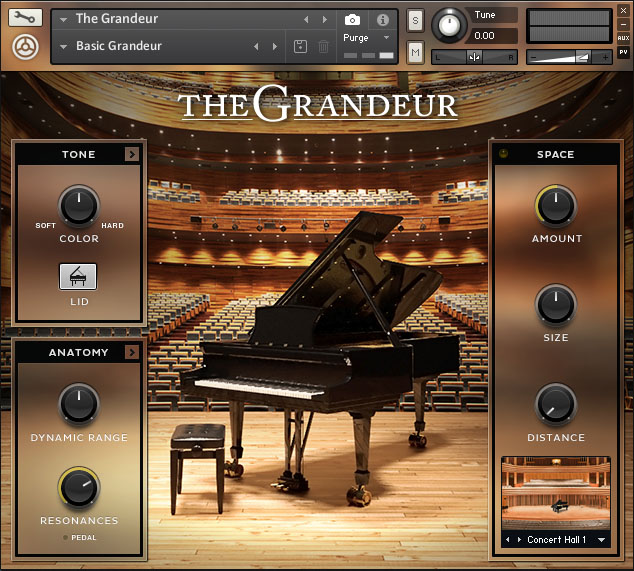
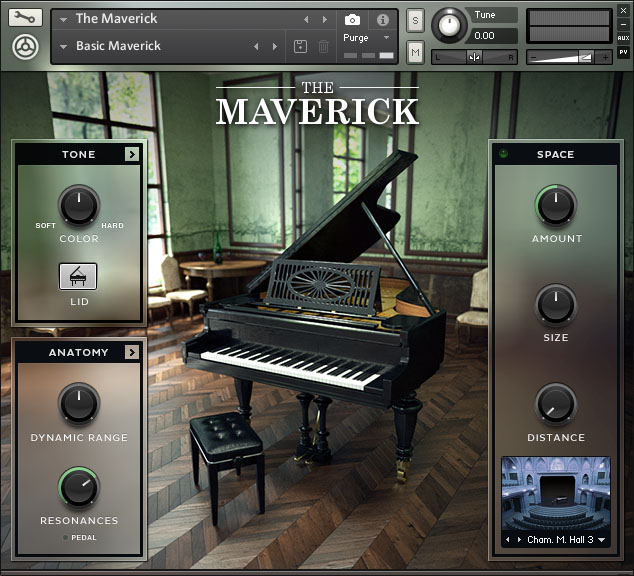
- Features: EQ, transient shaping, compression, mic and resonance control, pedal style, velocity curve, tuning, convolution reverb, lid position.
- Available in: Komplete 10, Komplete 10 Ultimate, Definitive Piano Collection.
- Presets/variations: All of these pianos include different variations, but rather than using a built-in preset selector, these instruments use Kontakt's snapshot feature. To choose a preset you click the Snapshot button and then select the desired preset from the list:
The Gentleman
- Original piano: Bechstein Model A Upright (1908)
- Preset or NKI file used in demo: Basic Gentleman
- Sample data size: 5.70 GB
- Sample rate/bit-depth: 48kHz/24-bit
- Number of groups/zones: 105/3148
- Velocity layers: 16
- Minimum Kontakt version required: 5.4.1
- Sound demo: Listen
The Grandeur
- Original piano: Hamburg Steinway D Concert Grand
- Preset or NKI file used in demo: Basic Grandeur
- Sample data size: 7.16 GB
- Sample rate/bit-depth: 48/24-bit
- Number of groups/zones: 105/3358
- Velocity layers: 18
- Minimum Kontakt version required: 5.4.1
- Sound demo: Listen
The Maverick
- Original piano: Bechstein Model A Grand (1905)
- Preset or NKI file used in demo: Basic Maverick
- Sample data size: 7.55 GB
- Sample rate/bit-depth: 48kHz/24-bit
- Number of groups/zones: 105/3282
- Velocity layers: 18
- Minimum Kontakt version required: 5.4.1
- Sound demo: Listen
OTHER RELEASES
These items are all available as separate products.
Alicia's Keys
- Original piano: Yamaha C3 Neo
- Preset or NKI file used in demo: 01 Dry
- Sample data size: 6.92 GB
- Sample rate/bit-depth: 44.1kHz/24-bit
- Number of groups/zones: 46/6200
- Velocity layers: ~12 (10-15 depending on the aspect of the piano)
- Minimum Kontakt version required: 4.8.0
- Developed by: Scarbee
- Features: Mic and resonance control, pedal style, velocity curve, convolution reverb, attack/release adjust, repetition control.
- Presets/variations: Preset selector in UI.
- Available in: Komplete 10 Ultimate or separately.
- Sound demo: Listen
Discovery Series: Cuba
This package includes two piano variations. At the time of writing, this is the only piano instrument in the Native Instruments lineup that has a groove/pattern playback system built-in. It is not very deeply sampled, but has a distinct and useful sound.
- Features: EQ, compression, tape saturation, reverb, groove/pattern support.
- Presets/variations: User interface has separate Mixer and Instrument preset selectors.
- Available in: Komplete 10 Ultimate or separately.
GRAND PIANO
- Original piano: unknown (possibly a Kawai KG-1C?)
- Preset or NKI file used in demo: Grand Piano / Classic mixer
- Sample data size: 6.92 GB (shared with upright piano)
- Sample rate/bit-depth: 44.1kHz/24-bit
- Number of groups/zones: 20/749 (shared with upright piano)
- Velocity layers: 2
- Minimum Kontakt version required: 5.4.1
- Sound demo: Listen
UPRIGHT PIANO
- Original piano: Steingraeber 130
- Preset or NKI file used in demo: Upright Piano / Classic mixer
- Sample data size: 0.57 GB (shared with grand piano)
- Sample rate/bit-depth: 44.1kHz/16-bit
- Number of groups/zones: 20/749 (shared with grand piano)
- Velocity layers: 6
- Minimum Kontakt version required: 5.4.1
- Notes: This uses the same samples as the Upright Piano from the Kontakt Factory Library, although they have been converted to 16-bit.
- Sound demo: Listen
The Giant
- Original piano: Klavins Model 370
- Preset or NKI file used in demo: Basic Giant
- Sample data size: 3.49 GB
- Sample rate/bit-depth: 48kHz/24-bit
- Number of groups/zones: 98/2003
- Velocity layers: 13
- Minimum Kontakt version required: 5.4.1
- Developed by: Galaxy Instruments
- Features: EQ, transient shaping, compression, mic and resonance control, pedal style, velocity curve, tuning, convolution reverb.
- Presets/variations: Preset selector in UI.
- Available in: Komplete 10, Komplete 10 Ultimate, or separately.
- Sound demo: Listen
ABOUT THE SOUND DEMOS
For each of the pianos described above, I recorded a minute-long excerpt of Felix Mendelssohn's
Songs Without Words, Book 2, Op. 30:
No. 1 Andante espressivo. This piece makes liberal use of pedal/sustain and is fairly dynamic, velocity-wise. The full playlist of clips follows, and I'll also provide links to individual clips in the descriptions below.
All clips were loudness normalized to -20 LUFS, and there is no processing or effects outside of what was already included with the instrument. For every example, I tried to use each instrument's "default" or "basic" setting. In the detailed instrument descriptions above, I list the presets used for each of the sample recordings. In cases where the instrument doesn't have a preset or snapshot facility, I simply list the NKI file I used, since Native Instruments sometimes includes separate NKI files as "presets."
SOUND DEMOS
CREDITS
Thanks to the following folks:
- nielsdolieslager at the Native Instruments forum for filling me in on some details and recommending I check the voice count on the August Foerster piano.
- kbaccki at the KVR forum for inspiring me to find a better metric to judge sample content size than the active RAM buffer.