Showing posts with label komplete. Show all posts

Sunday, July 26, 2015

Setting Up Vocoders in Cubase Part 6: Native Instruments Razor

This is part 6 of a multi-part tutorial on setting up vocoder plugins in Cubase. See part 1 if you missed the introduction.


Razor is a powerful and unique synth produced by Native Instruments, that also has vocoder capability. Unlike all other vocoders we've looked at so far, Razor only supports an internal carrier configuration, using its own synth engine as the carrier. Razor is also not a standalone plugin; it's a Reaktor ensemble, meaning you need either Reaktor, Reaktor Player, or Komplete Kontrol in order to use it.

The screenshots below use the Vocoder Tutorial Projects that you can download at the Ultimate Outsider Downloads page.

USING RAZOR'S INTERNAL CARRIER

This configuration requires an audio track or group channel to serve as the modulator (voice), and a MIDI track to play the carrier signal on the plugin's synth. The Vocoder Internal Carrier demo project in the tutorial projects download is already set up for this.
  1. In the Vocoder Internal Carrier demo project (or your own Cubase project), add Reaktor5 FX or the FX version of Reaktor Player as an insert on the audio track or group channel you wish to use as your modulator. (If you are using a group channel in a Cubase project of your own, make sure that your modulator source's output is not routed to Cubase's "Stereo Out," because if it is, then you will always hear the raw modulator audio mixed in with Razor's outputs.)


  2. Inside Reaktor, open the Player tab and expand the Razor folder, then drag the Razor.rkplr ensemble to where it says, "Drag a file from the browser here." Razor will appear shortly after.
  3. Only some of Razor's presets use the vocoder capability. For just starting out, I recommend the Green Hornet Razorcoder preset.

  4. On your MIDI track's inspector, route the track's MIDI output to your Razor instance, as shown here:
  5. Begin playback on a section of your project that loops your modulator and carrier tracks. You should now hear a vocoded harmony line and see activity in the spectrogram portion of the instrument. If you don't hear anything, make sure you've got a known-good preset selected (like Green Hornet Razorcoder), and check your audio and MIDI routing.

If you followed along using the tutorial project, the result should sound like this:

Conclusion

If you were successful in following the above use cases, you should now be able to jump in and explore Razor's various features.

In the next part of this tutorial, we'll set up mda Vocoder and the Steinberg Vocoder...

Sunday, May 31, 2015

Native Instruments Sales on Komplete, Maschine, and Traktor: A Historical Review

When it comes to Native Instruments, one thing people speculate about almost as often as when the next version of Komplete will be released is when the next big Native Instruments sale is going to happen. While no one outside the company can answer those questions with any certainty, studying the past can often help us make better guesses about what is yet to come. It is in that spirit that I embarked on a historical review of official Native Instruments sales.


After several days of hunting down information on every sale I could find involving the company's Komplete, Maschine, and Traktor lines, I compiled a worksheet that indicates the dates when the sales were in effect, and which products each promotion included. I color-coded each sale to indicate which time of year it fell under so I could get a better idea of what kinds of sales Native Instruments typically offers in the different seasons. The Legend tab describes the different columns, and the Stats tab has a few bits of analytical data that are automatically updated whenever I add a new sale to the list, plus some "manual stats" that I tally up by hand after making major updates. You can click the image below to visit the worksheet. The rest of this post is an analysis of the data, plus some other details about the worksheet.

Click the image above to view the raw data.

Understanding the Data

Here are some things I observed after compiling the information. Please note that as the worksheet evolves over time, some of the numbers below might go out of date- but they are accurate, based on my current information, as of June 1, 2015:
  • Of all the types of sales Native Instruments offered that I could find, discounts on new purchases of Komplete bundles were the most rare (only 9% of all sales as of this writing), and discounts on upgrades or crossgrades to Komplete were the second-most rare (21%). Please see the "Notes About the Worksheet" section for the distinction between new purchases and updates/upgrades/crossgrades.
  • When there was a sale on Komplete bundles, it has always been either for new purchases or for upgrades/crossgrades- not both. Although the different kinds of Komplete bundle discounts haven't been offered simultaneously, they occasionally occurred within a couple weeks of each other (2012, 2014).
  • The most common season to find discounts on new Komplete bundle purchases was Summer (4 times out of 5 total sales), and the most common time for discounts on upgrades and crossgrades to Komplete was Spring (7 out of 12 sales).
  • The most common season for Maschine-related sales was Autumn (7 out of 16 sales).
  • The most common times for sales and specials involving Traktor were Autumn (7 out of 22 sales), followed closely by Summer (6 out of 22 sales).
  • Historically, the busiest season for Native Instruments sales is Summer (32% of all sales I've recorded so far). Autumn and Spring are tied for second (at 25%), while the Winter months were the least likely to see new sales, accounting for only 18% of the sales I could find data for.
  • Of all the promotions I discovered that were in effect during a Black Friday, only one of them offered a discount on Komplete bundles (the Thanksgiving XXL sale in 2013), and that was only on upgrades, not new purchases. Not a single Black Friday sale I found included new purchases of Komplete or Komplete Ultimate.
  • Although sales on full Komplete bundles are not very frequent, if you include sales involving individual Komplete-line products (synths, samplers, instruments, effects), more sales have been recorded for that product line (48%) than for Traktor (39%) or Maschine (29%). (Which is probably not surprising since, the Komplete line is the most mature and has the broadest number of total products.)
  • Over half of all promotions recorded involve Native Instruments hardware, whether it's for Maschine, Traktor, audio interfaces, or the new Komplete Kontrol keyboards.
  • Specific Traktor models covered in previous sales include: Traktor Audio 2 DJ, Audio 4 DJ, Audio 8 DJ, Traktor Kontrol S4, Traktor Kontrol X1, Audio 6, Audio 10, Traktor Kontrol S2, Traktor Kontrol Z1, and Traktor Kontrol Z2.
  • Specific Maschine models covered in previous sales include: Maschine, Maschine Mikro, and Maschine Studio.
  • Hardware products from the Komplete line that have been covered in previous sales include: Komplete Audio 6, Komplete Kontrol S25, Komplete Kontrol S49, and Komplete Kontrol S61.

Notes About the Worksheet

  • In cases where a given promotion straddled two different seasons, you'll find that the Start Date and End Date fields of that sale will be colored differently, while only one color is used in the columns indicating what kind of products are covered in that sale. I chose the color/season based on which season held the most days of that specific promotion. This is why many sales during the Christmas shopping season are marked red; because they ran for more days at the end of Autumn than they did at the start of Winter.
  • The Hardware column in the Data tab of the worksheet straddles all Native Instruments product lines (even Kore). Maschine and Traktor have their own columns, but since some sales in those product lines only involve software (Maschine expansions or Traktor Pro upgrades, for example), you can cross-reference to the Hardware column to determine what kind of sale it was.
  • Regarding sales that involve Komplete bundles, I consider a promotion a "new purchase" if customers are not required to either previously own or make a new purchase of any other Native Instruments product. A sale that requires you to own another Native Instruments product is a crossgrade. Sometimes there are "bundle" discounts where you get a reduced price if you buy two items at the same time- for example the "Dynamic Duo" sale from Winter of 2014 where you could get a discount on Komplete 9 if you bought it along with a Maschine. There was one deal from 2008 where you could get a discount on Komplete 5 if you could prove you owned one of a handful of specific third-party DAWs. I didn't count that as a crossgrade since it didn't require ownership of a Native Instruments product.
  • I had multiple sources of varying degrees of accuracy for sale information. If you see a different start date listed for a sale than what you see listed at the Reference link for that sale, it probably means I found another source with more accurate date information. Stop dates were much easier to verify for sure.
  • The great majority of the sale data I found was between the years of 2010 and 2015. As of this writing I've only found solid information on five sales previous to 2010. I'm sure there were many more sales; it's just increasingly hard to find this info.

Credits

These sites were invaluable in my data mining efforts:
If you have any corrections or know of any sales I missed, please let me know in the comments. Thanks!

Sunday, February 1, 2015

Troubleshooting Native Instruments Problems with UltimatePluginTool

There are a number of common problems people encounter with Native Instruments products that are easy to fix once you discover the root cause. Unfortunately, some of the error messages you get when the problems occur are vague or misleading. I wrote UltimatePluginTool to help folks identify and correct these issues. In this article I'll walk you through how to fix the following errors:
  • "Loading Issue: Could not load plug-in" (Komplete Kontrol)
  • "Error: Unable to load Slot" (Maschine)
  • "Load Plug-in: Could not load 1 or more plug-ins!" (Maschine)
  • "Error while reading file: This file was saved with a newer version of Reaktor!" (Reaktor)
  • "This patch was generated by a newer version of the application. Please upgrade your copy to load the patch." (Kontakt)
  • "Loading Issue: Plug-in failed loading. The plug-in is likely too old and needs updating." (Komplete Kontrol)
Note: While this article and UltimatePluginTool are specifically for VST plugins on Windows operating systems, some of the information here may apply to other plugin formats and platforms.

1. Download and install all your Service Center updates

Before we get started with UltimatePluginTool, it will help to make sure that all of your Native Instruments products are activated and up-to-date. Launch the Native Instruments Service Center and make sure you see the "All products are activated" message on the Activate tab. If you don't, go to the Update tab and download/install any pending updates.


Note: It is still possible to get errors about Reaktor and Kontakt instruments being saved with newer versions of those products even after you've installed all your updates. UltimatePluginTool will help you fix those errors if you perform the following steps. You should just be sure you've installed the updates before you proceed.

2. Install and launch UltimatePluginTool

Download and install UltimatePluginTool from the Ultimate Outsider downloads page. If you accept the default installation options, UltimatePluginTool will launch automatically once setup is complete. (Otherwise you should find shortcuts for it on your desktop and your Start menu.)

You should also make sure to quit any DAWs, plugin hosts, or Native Instruments software before you continue.

3. Scan for duplicate plugins

If you have multiple copies of different versions of plugins scattered about your various plugin search paths, DAWs and plugin hosts can get confused, loading an outdated version of the plugin even after you've installed updates. On the UltimatePluginTool Start page, select Find duplicate VST plugins and click Next.


If you are running 64-bit Windows, you'll have a choice of whether to search for 32-bit or 64-bit plugins, since those files are normally installed in different locations. Choose which plugin type you'd like to check for first, and then make sure your desired plugin paths are listed under Plugin folders.

The first time you run this wizard, UltimatePluginTool tries to detect some common plugin locations on your system. If you use different folders than those that UltimatePluginTool finds, you can make the appropriate changes now with the Add New and Remove buttons. The program maintains different folder lists for 32-bit and 64-bit plugins.

The program discovered some plugin folders on this computer. If you keep folders in other locations, use Add New to locate and include them in the search.

Click Next. UltimatePluginTool will search your plugin folders for any duplicate files, or for unsupported files (for example, 64-bit plugins in your 32-bit plugins folder). Once the scan is complete, some statistics will appear in the Search status portion of the screen, and if any duplicates or unsupported files are found, their names will appear in the Duplicate files and Unexpected files lists below.

The results of a scan for 32-bit duplicates. Since 'show duplicates' is unchecked, only files with duplicates are displayed at the moment.
  1. Select a filename in the Duplicate files list to see more information about the specific files discovered.
  2. In the above example we can tell that the first file in the details list is the older one by its Date and Version number. Selecting a file in the details list enables the three action buttons on the right.
  3. To remove the outdated file, click Delete, then click Yes when asked whether you would like to proceed.
Remember to re-run this wizard if you are running 64-bit Windows, in case you still need to scan for 32-bit or 64-bit plugins. See the included user guide for more information about the Find Duplicate VST Plugins wizard.

4. Look for wrong or broken file paths

Once you're sure there aren't any duplicate copies of your 32-bit or 64-bit plugins in your various plugin folders, re-launch UltimatePluginTool or navigate back to the Start page. Select Manage installed Native Instruments products, and then click Next.


Note: If you have a large number of Native Instruments products installed, or if you have some very old 32-bit-only products installed, the product scan might take a minute or two the first time you run it. Once the scan is complete, it will populate the "Product information" list with all products discovered on your system.

To check for file location problems, make to check the options to show apps and plugins, content libraries, bundles, drivers and utilities, and broken folder items. Also make sure to uncheck Show valid folder items, like in the following screenshot:

The above settings will display only products with detected file path problems.
In the above example, UltimatePluginTool discovered that it couldn't find the Kontakt 5 plugin in the folder where it's supposed to reside. This happened because we just used the duplicates finder to delete the outdated version of the plugin that had been located in that folder. Even though we know there is a recent version of Kontakt 5 in our plugin search paths, if the plugin isn't located in the exact folder specified on this screen, then Komplete Kontrol and Maschine won't be able to find the plugin if you try to load any Kontakt instruments with them.

To select the correct folder, click the Options button next to the folder you need to change. This opens the Change Folder dialog:


This dialog lists all the folders that all currently installed Native Instruments products (including the current one) are already using. If you see the folder you want already listed, just select it and then click the Use for (product) only button. In our case, the folder we need isn't listed, so we need to click Select Another Folder and locate the folder. Once the folder's selected, we can click Use for (product) only to continue.


After you select a different folder, UltimatePluginTool re-checks the paths. As we can see here, we selected the correct path, and we have the latest versions specified for the application, 32-bit plugin, and 64-bit plugin files.


5. Check product bundle associations (Komplete Kontrol)

The Komplete Kontrol software is explicitly designed to only work with Komplete 9 or Komplete 10, and this requirement has some side-effects that surprise some Komplete 9 and 10 owners.

Consider this example: Reaktor 5 is available as a standalone product, and has also been in every Komplete release since 2005- however if you didn't use a Komplete 9 or 10 installer to install or update Reaktor 5 on your PC, Komplete Kontrol will not work with your existing copy.

You can encounter this problem even if you are a legitimate Komplete 9 or 10 owner and you've used the Komplete installer to install other products on the same PC. Many Komplete owners who already have previous versions installed on their PCs choose not to install the pre-existing products when installing a new Komplete version. Up until the release of Komplete Kontrol, this was the fastest way to safely install new versions of Komplete. (And sometimes the ONLY way, due to the way the Komplete installers calculate disk space required before allowing you to proceed with setup.)

Unfortunately, it is now necessary to perform a complete installation of Komplete 9 or 10 in order to make sure all your applications and libraries are recognized by Komplete Kontrol as belonging to the supported bundles. This is because the Komplete installers are special. Even though the Reaktor 5 you bought in 2005 is technically exactly the same program as the version included in Komplete 10 (assuming you've kept up with your Service Center updates), the Komplete 10 installer associates any product it installs or upgrades with that specific bundle. All Komplete installers do this, but it wasn't until the release of Komplete Kontrol that this fact actually mattered.

Anyway, here's how you can use UltimatePluginTool to determine if this is what's happening on your computer.

On the Start page, select Manage installed Native Instruments products, and then click Next.


Once the product scan is complete, make sure to select the options to show apps and plugins, content libraries, valid path items, and broken path items. Now any products you select items in the Product information list that are associated with a Native Instruments bundle will show some information in the Bundle field, like this:


Beginning with Komplete 8, there is some overlap between the "Ultimate" bundles and the regular Komplete releases. For example, as shown in the screenshot above, Abbey Road 50s Drummer is only available in Komplete 10 Ultimate, so that's what appears in the Bundle field in UltimatePluginTool. However, if we had selected Battery 4- which is included in both Komplete 10 and Komplete 10 Ultimate, then the Bundle field would just read "Komplete 10" even though this computer has the full Komplete 10 Ultimate package installed. This shouldn't be an issue, though- it's the version number that matters to Komplete Kontrol.

If you have Komplete 9 or 10 (regular or Ultimate) installed, and a product you select on this screen is blank or is associated with an earlier version of Komplete, then you'll need to re-run the Komplete 9 or 10 installer to update your installation and associate it with your bundle in order to get it working properly in Komplete Kontrol.

Note: Misleading Warnings in Maschine and Komplete Kontrol

Both Komplete Kontrol and Maschine will report "could not load plug-in" even if the preset you tried to open isn't directly associated with a plugin. For example, Rise & Hit is not itself a plugin; it's a Kontakt instrument. But if there's something wrong with your Kontakt configuration, this is what happens when you try to open a Rise & Hit preset in Maschine:


To make it easier to troubleshoot, here's a list of all the products that appear in Maschine and Komplete Kontrol that aren't standalone products. So if you get an error while trying to launch one of them, remember to also check the settings of the actual plugin (Kontakt or Reaktor) they're associated with for problems:

Kontakt Instruments supported in Maschine and Komplete Kontrol

  • Abbey Road 50s Drummer
  • Abbey Road 60s Drummer/Drums
  • Abbey Road 70s Drummer/Drums
  • Abbey Road 80s Drummer/Drums
  • Abbey Road Modern Drummer/Drums
  • Abbey Road Vintage Drummer
  • Action Strikes
  • Action Strings
  • Alicia's Keys
  • Balinese Gamelan
  • Berlin Grand
  • Cuba
  • Damage
  • Drum Lab
  • Evolve Mutations
  • Evolve Mutations 2
  • Evolve R2
  • George Duke Soul Treasures
  • Kinetic Metal
  • Maschine Drum Selection
  • NY Grand
  • Retro Machines
  • Rise and Hit
  • Funk Guitarist
  • Jay-Bass
  • MM-Bass
  • MM-Bass Amped
  • Pre-Bass
  • Pre-Bass Amped
  • Rickenbacker
  • Vintage Keys
  • Session Horns
  • Session Horns Pro
  • Session Strings Pro
  • Studio Drummer
  • The Gentleman
  • The Giant
  • The Grandeur
  • The Maverick
  • Upright Piano
  • Vienna Grand
  • Vintage Organs
  • West Africa

Reaktor Ensembles supported in Maschine and Komplete Kontrol

  • Kontour
  • Monark
  • Polyplex
  • Prism
  • Razor
  • Rounds
  • Skanner XT
  • Spark

Final Thoughts

I have some features in the works that should make solving these problems even simpler, so stay tuned. This should at least be enough to help you root-cause the various issues you're having and know what to do to fix them.

Support UltimatePluginTool

I develop and maintain free software on my own time. I don't charge a fee because I want everyone to have equal access to my programs- but if something I wrote helped you and you'd like to express your thanks in a concrete way, you can send a donation of any amount via PayPal. Support from my visitors covers my hosting and licensing costs, and gives me incentive to keep putting out cool new utilities.

If you wish to help out, you can enter a donation amount below and then click on the Donate button. You do not need a PayPal account in order to donate! Just click the "Don't have a PayPal account" option on the page that comes up after you click the Donate button. The donation amount is in U.S. Dollars (USD).

Amount: $


Note: You might receive a personal "thank you" from me in response, but I won't sign you up for any mailing lists and you won't hear from me again unless you contact me first. Thanks for your consideration!

Friday, January 2, 2015

Introducing UltimatePluginTool- Fix problems with Maschine, Kontakt, Komplete Kontrol and more

Over the past year or two I've encountered a number of problems with some of my plugins and standalone music software that resulted from my moving files around after installing them, and from not always paying attention to where I installed things in the first place. When most people root-cause technical issues like these, they usually spend the ten or fifteen minutes it takes to solve the problem and then move on. Me? I'll spend two solid months writing a program that fixes the problems for me.

The result of this effort is UltimatePluginTool.

The current version of the program does three things (update: make that four things, as of version 1.0.0.0, and five things as of version 1.1.0.0!):

1. Search your computer for duplicate plugin files, and for incompatible files in your platform-specific directories.

You can delete outdated plugins and unsupported files here. You can also launch plugins in an external plugin host directly from this wizard screen.

2. Browse detailed information about your installed Native Instruments products, fix problems related to misplaced files, and move program content to different folders or drives.

This wizard can resolve a number of common problems with Maschine, Komplete Kontrol, Kontakt, and most other Native Instruments apps and plugins. It also provides the ability to launch standalone applications or open plugins in an external plugin host.

3. Re-arrange the Libraries tab in Native Instruments Kontakt, using record store-style sorting.

You can also prioritize frequently-used libraries or hide rarely-used ones, as needed.


More features and use cases are in the works. I'll also be putting together a few tutorials on how to use UltimatePluginTool to fix a number of problems. All important controls are equipped with tooltips (just float over something in the program to see a quick description), and clicking the program's icon in the upper left of every screen brings up a system menu that gives you quick access to documentation, updates, and tutorials.


UltimatePluginTool is free, and you can get it now at my downloads page. It runs on 32-bit or 64-bit Windows, and has been tested on Windows XP, Vista, Windows 7, and Windows 8. At the moment, only VST 2 plugins are supported.

Enjoy, and check back for more information and features as the tool develops.

UltimatePluginTool Release Notes

VERSION 1.1.1.0
Date: March 28, 2016
MD5 checksum (UltimatePluginToolSetup.exe): 472F1F568E195E9B82DC0B3D014B0A9B
SHA-1 checksum (UltimatePluginToolSetup.exe): 605D1BD2A962DB12603FACB01FDF21F6B8D3E4D8

Changes:
  • Program now works on Windows XP again (you still have to run the "(XP)" version of the program, and the "relocate plugin content" feature is not supported on XP, but at least the program runs again on that OS now.
  • Using latest NSIS engine for more secure installer.
  • Some optimizations in the recursive file code that the relocate content wizard uses.

VERSION 1.1.0.0
Date: February 1, 2016
MD5 checksum (UltimatePluginToolSetup.exe): 1EC4AF2DC3B1BD0337CEB54D81758741
SHA-1 checksum (UltimatePluginToolSetup.exe): 01BCC4C3B8E7DD306541B3576046AB3517A09365
Changes:
  • Added new Relocate Plugin Content wizard for moving programs and content file without having to reinstall or reconfigure anything.
  • ­Native Instruments Product Manager now properly identifies third­-party NKS content.
  • Product Manager's Bundle(s) field is now a combo box that lists all matching bundles for installed version of selected product.
    VERSION 1.0.0.0
    Date: October 6, 2015
    MD5 checksum (UltimatePluginToolSetup.exe): 7FAA5EE422464D18B7229378EEECC3D7
    SHA-1 checksum (UltimatePluginToolSetup.exe): EA667D3BAF3A5A3E8C11B9D9B43D69EAF6375032
    Changes:
    • Added new "Fix Native Instruments thumbnails in Maschine and Komplete Kontrol" mode.
    • Some under-the-hood enhancements.

    Support UltimatePluginTool

    I develop and maintain free software on my own time. I don't charge a fee because I want everyone to have equal access to my programs- but if something I wrote helped you and you'd like to express your thanks, you can send a donation of any amount via PayPal. Support from my visitors covers my hosting and licensing costs, and gives me incentive to keep putting out cool new utilities.

    If you wish to help out, you can enter a donation amount below and then click on the Donate button. You do not need a PayPal account in order to donate! Just click the "Don't have a PayPal account" option on the page that comes up after you click the Donate button. The donation amount is in U.S. Dollars (USD).

    Amount: $


    Note: You might receive a personal "thank you" from me in response, but I won't sign you up for any mailing lists and you won't hear from me again unless you contact me first. Thanks for your consideration!

    Sunday, October 12, 2014

    Native Instruments Acoustic Pianos Compared

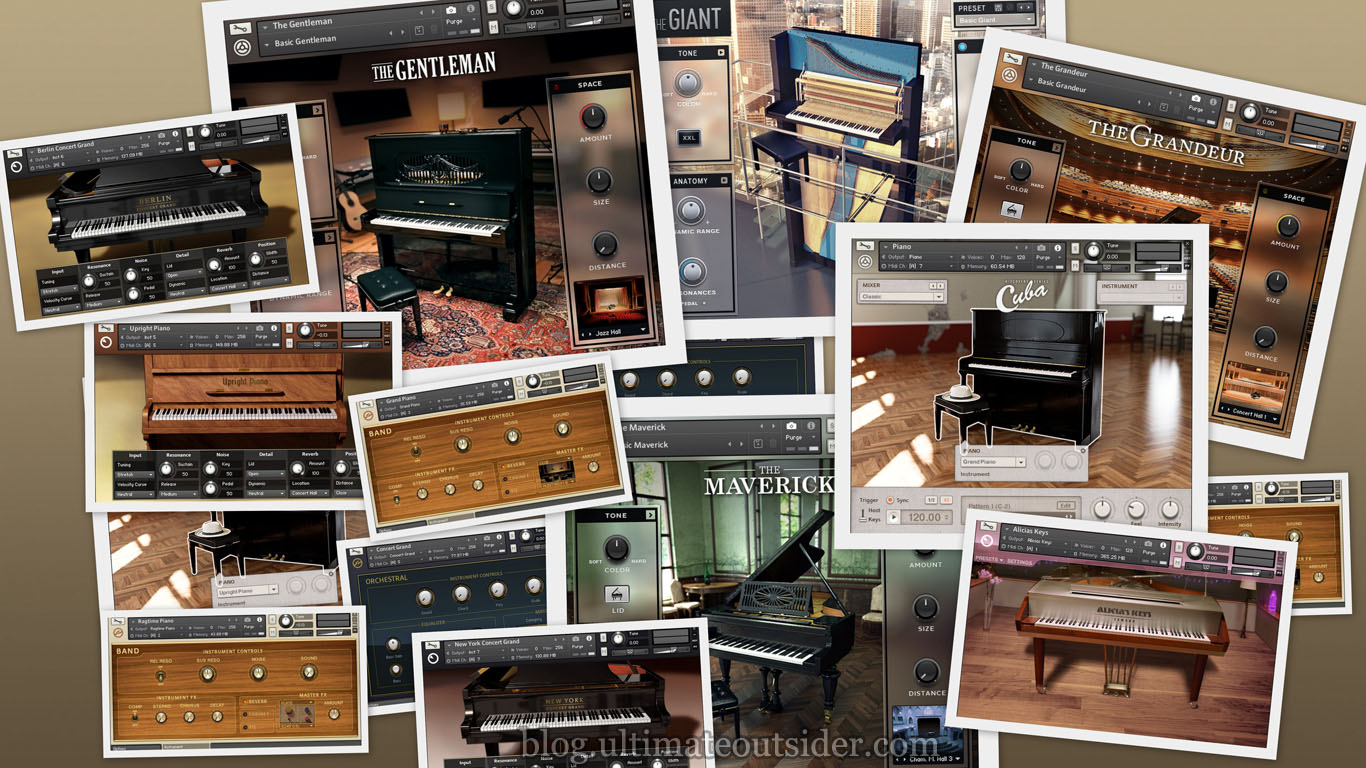
    Native Instruments has produced sample-based acoustic piano instruments in one form or another for quite some time. Because the company offers so many piano options, I frequently see people asking which ones are best, or what the differences are between the various piano products. I hope to answer most of those questions here. I'll also provide some audio demos of every current and recent Native Instruments piano- so you can hear the differences for yourself.


    AKOUSTIK PIANO

    In 2006, Native Instruments released Akoustik Piano, an instrument that included sampled versions of four different pianos. While it used the Kontakt engine under the hood, Akoustik Piano could run as a standalone application or a plugin. Native Instruments discontinued this product in 2009, however the sample content was reused in several ways in subsequent products.

    You can learn more about Akoustik Piano and other legacy Native Instruments products at my Complete History of Komplete.

    KONTAKT FACTORY LIBRARY

    Kontakt ships with several basic pianos. They don't have fancy user interfaces, but they offer most of the standard tweakable parameters- and a number of not-so-standard parameters for pianos. Some of the piano samples in the Kontakt factory library come from Akoustik Piano, but the library also includes some piano sounds that don't appear anywhere else.

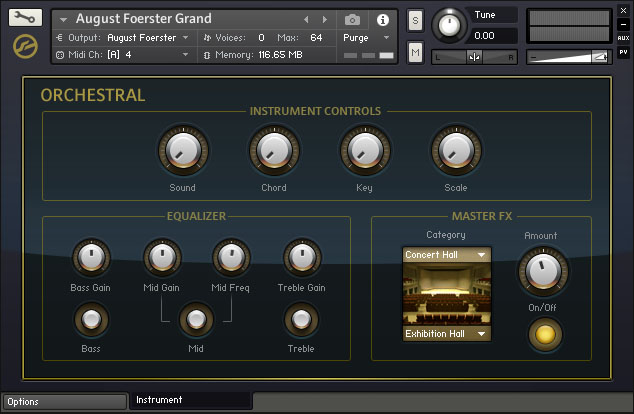
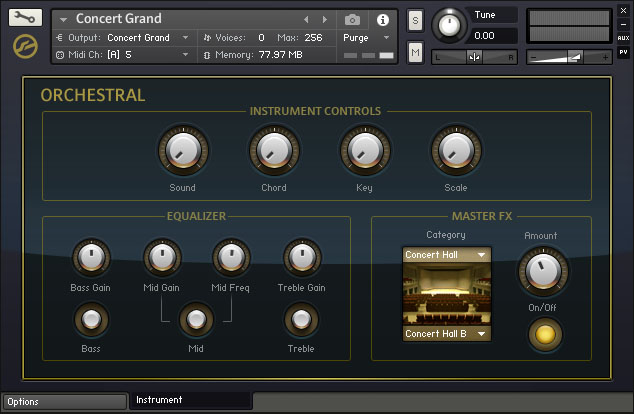
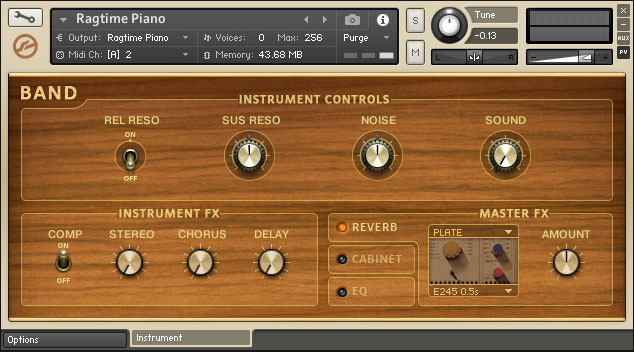
    The Kontakt pianos are split across the Band and Orchestral categories, which have different feature sets. Despite their basic appearance these pianos do feature multiple velocity and microphone layers. Most of these pianos also have a very small memory footprint, partly because they are not one-sample-per-note.
    • Features (Band instruments): Mic and resonance control, compression, chorus, delay, convolution reverb, amp simulation, EQ, velocity curve, pitch bend range, transpose, tuning, parameter randomization.
    • Features (Orchestral instruments): EQ, tuning/scale, convolution reverb, velocity curve, pitch bend range, transpose, parameter randomization.
    • Presets/variations: None of the Kontakt acoustic pianos include presets or variations, although they are highly customizable.
    • Available in: Komplete 10, Komplete 10 Ultimate, Kontakt 5.

    August Foerster Grand (Orchestral)


    • Original piano: Unknown model manufactured by August Foerster
    • Preset or NKI file used in sound demo: August Foerster Grand.nki
    • Sample data size: 0.38 GB
    • Sample rate/bit-depth: 44.1kHz/16-bit
    • Number of groups/zones: 16/605
    • Velocity layers: 10
    • Minimum Kontakt version required: 5.0.0
    • Notes: This is one of the oldest pianos in the Native Instruments catalog. Its default maximum voice setting was only 64, which was simply not enough voices for this sample clip, which includes a lot of sustan (making it a rather voice-hungry composition). I doubled the voice count to 128 for the demo recording.
    • Sound demo: Listen

    Concert Grand (Orchestral)


    • Original piano: Steinway D
    • Preset or NKI file used in demo: Concert Grand.nki
    • Sample data size: 0.82 GB
    • Sample rate/bit-depth: 44.1kHz/24-bit
    • Number of groups/zones: 93/985
    • Velocity layers: 10
    • Minimum Kontakt version required: 5.0.0
    • Notes: This is a "lite" version of the New York Concert Grand.
    • Sound demo: Listen

    Grand Piano (Band)


    • Original piano: Boesendorfer 290 Imperial
    • Preset or NKI file used in demo: Grand Piano.nki
    • Sample data size: 0.16 GB
    • Sample rate/bit-depth: 44.1kHz/24-bit
    • Number of groups/zones: 6/155
    • Velocity layers: 3
    • Minimum Kontakt version required: 5.0.0
    • Notes: This is a "lite" version of the Vienna Concert Grand.
    • Sound demo: Listen

    Ragtime Piano (Band)

    • Original piano: Steingraeber 130
    • Preset or NKI file used in demo: Ragtime Piano.nki
    • Sample data size: 0.17 GB
    • Sample rate/bit-depth: 44.1kHz/24-bit
    • Number of groups/zones: 6/189
    • Velocity layers: 3
    • Minimum Kontakt version required: 5.0.0
    • Notes: This uses the same samples as Upright Piano.
    • Sound demo: Listen

    Upright Piano (Band)


    • Original piano: Steingraeber 130
    • Preset or NKI file used in demo: Upright Piano.nki
    • Sample data size: 0.17 GB
    • Sample rate/bit-depth: 44.1kHz/24-bit
    • Number of groups/zones: 6/189
    • Velocity layers: 3
    • Minimum Kontakt version required: 5.0.0
    • Notes: This is a "lite" version of the Upright Piano from the Classic Piano Collection.
    • Sound demo: Listen


    CLASSIC PIANO COLLECTION

    From 2010 through 2014, these pianos were available for separate purchase or as a bundle, but they were dropped from Native Instruments' product lineup at the time of Komplete 10's release. These all take sample content from Akoustik Piano, like some of the instruments in the Kontakt library do- although the factory library versions are more compact and do not ship with any presets/variations. These versions utilize more individual samples than the Kontakt library versions, explaining their significantly larger memory footprint.
    • Features: Mic and resonance control, pedal style, velocity curve, tuning, convolution reverb, lid position.
    • Presets/variations: While the individual instruments do not use snapshots or have any built-in preset facility, each of these pianos includes several different NKI files, each representing different variations.
    • Available in: Komplete 9 and Komplete 9 Ultimate.

    Berlin Concert Grand


    • Original piano: Bechstein D 280
    • Preset or NKI file used in demo: Berlin Concert Grand.nki
    • Sample data size: 2.56 GB
    • Sample rate/bit-depth: 44.1kHz/24-bit
    • Number of groups/zones: 93/984
    • Velocity layers: 10
    • Minimum Kontakt version required: 5.0.1
    • Notes: This is the only one of the Classic Piano Collection pianos that doesn't appear to have any representation in the Kontakt 5 factory library.
    • Sound demo: Listen

    New York Concert Grand


    • Original piano: Steinway D
    • Preset or NKI file used in demo: New York Concert Grand.nki
    • Sample data size: 2.15 GB
    • Sample rate/bit-depth: 44.1kHz/24-bit
    • Number of groups/zones: 93/985
    • Velocity layers: 10
    • Minimum Kontakt version required: 4.8.0
    • Sound demo: Listen

    Upright Piano


    • Original piano: Steingraeber 130
    • Preset or NKI file used in demo: Upright Piano.nki
    • Sample data size: 2.49 GB
    • Sample rate/bit-depth: 44.1kHz/24-bit
    • Number of groups/zones: 93/991
    • Velocity layers: 10
    • Minimum Kontakt version required: 5.0.1
    • Sound demo: Listen

    Vienna Concert Grand


    • Original piano: Boesendorfer 290 Imperial
    • Preset or NKI file used in demo: Vienna Concert Grand.nki
    • Size in RAM: 141 MB
    • Sample data size: 2.96 GB
    • Sample rate/bit-depth: 44.1kHz/24-bit
    • Number of groups/zones: 102/1071
    • Velocity layers: 10
    • Minimum Kontakt version required: 5.0.1
    • Sound demo: Listen


    DEFINITIVE PIANO COLLECTION

    Introduced in 2014, these pianos are considered a higher-quality replacement for the "Classic" models that have since been dropped from the library, although they represent a different set of original pianos. These were produced by Galaxy Instruments, the creators of another Native Instruments piano, The Giant.
    • Features: EQ, transient shaping, compression, mic and resonance control, pedal style, velocity curve, tuning, convolution reverb, lid position.
    • Available in: Komplete 10, Komplete 10 Ultimate, Definitive Piano Collection.
    • Presets/variations: All of these pianos include different variations, but rather than using a built-in preset selector, these instruments use Kontakt's snapshot feature. To choose a preset you click the Snapshot button and then select the desired preset from the list:

    The Gentleman


    • Original piano: Bechstein Model A Upright (1908)
    • Preset or NKI file used in demo: Basic Gentleman
    • Sample data size: 5.70 GB
    • Sample rate/bit-depth: 48kHz/24-bit
    • Number of groups/zones: 105/3148
    • Velocity layers: 16
    • Minimum Kontakt version required: 5.4.1
    • Sound demo: Listen

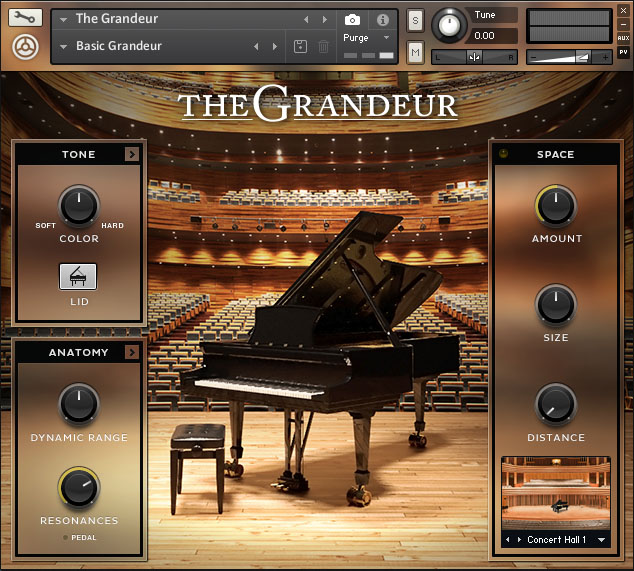
    The Grandeur


    • Original piano: Hamburg Steinway D Concert Grand
    • Preset or NKI file used in demo: Basic Grandeur
    • Sample data size: 7.16 GB
    • Sample rate/bit-depth: 48/24-bit
    • Number of groups/zones: 105/3358
    • Velocity layers: 18
    • Minimum Kontakt version required: 5.4.1
    • Sound demo: Listen

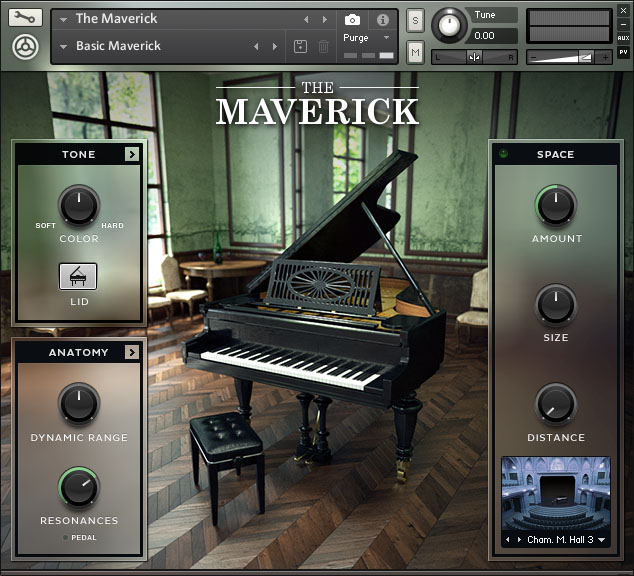
    The Maverick


    • Original piano: Bechstein Model A Grand (1905)
    • Preset or NKI file used in demo: Basic Maverick
    • Sample data size: 7.55 GB
    • Sample rate/bit-depth: 48kHz/24-bit
    • Number of groups/zones: 105/3282
    • Velocity layers: 18
    • Minimum Kontakt version required: 5.4.1
    • Sound demo: Listen


    OTHER RELEASES

    These items are all available as separate products.

    Alicia's Keys


    • Original piano: Yamaha C3 Neo
    • Preset or NKI file used in demo: 01 Dry
    • Sample data size: 6.92 GB
    • Sample rate/bit-depth: 44.1kHz/24-bit
    • Number of groups/zones: 46/6200
    • Velocity layers: ~12 (10-15 depending on the aspect of the piano)
    • Minimum Kontakt version required: 4.8.0
    • Developed by: Scarbee
    • Features: Mic and resonance control, pedal style, velocity curve, convolution reverb, attack/release adjust, repetition control.
    • Presets/variations: Preset selector in UI.
    • Available in: Komplete 10 Ultimate or separately.
    • Sound demo: Listen

    Discovery Series: Cuba

    This package includes two piano variations. At the time of writing, this is the only piano instrument in the Native Instruments lineup that has a groove/pattern playback system built-in. It is not very deeply sampled, but has a distinct and useful sound.

    • Features: EQ, compression, tape saturation, reverb, groove/pattern support.
    • Presets/variations: User interface has separate Mixer and Instrument preset selectors.
    • Available in: Komplete 10 Ultimate or separately.

    GRAND PIANO

    • Original piano: unknown (possibly a Kawai KG-1C?)
    • Preset or NKI file used in demo: Grand Piano / Classic mixer
    • Sample data size: 6.92 GB (shared with upright piano)
    • Sample rate/bit-depth: 44.1kHz/24-bit
    • Number of groups/zones: 20/749 (shared with upright piano)
    • Velocity layers: 2
    • Minimum Kontakt version required: 5.4.1
    • Sound demo: Listen

    UPRIGHT PIANO

    • Original piano: Steingraeber 130
    • Preset or NKI file used in demo: Upright Piano / Classic mixer
    • Sample data size: 0.57 GB (shared with grand piano)
    • Sample rate/bit-depth: 44.1kHz/16-bit
    • Number of groups/zones: 20/749 (shared with grand piano)
    • Velocity layers: 6
    • Minimum Kontakt version required: 5.4.1
    • Notes: This uses the same samples as the Upright Piano from the Kontakt Factory Library, although they have been converted to 16-bit.
    • Sound demo: Listen

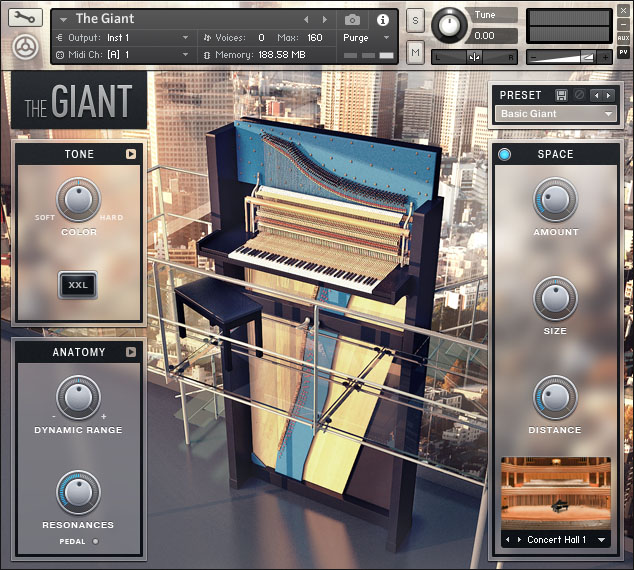
    The Giant


    • Original piano: Klavins Model 370
    • Preset or NKI file used in demo: Basic Giant
    • Sample data size: 3.49 GB
    • Sample rate/bit-depth: 48kHz/24-bit
    • Number of groups/zones: 98/2003
    • Velocity layers: 13
    • Minimum Kontakt version required: 5.4.1
    • Developed by: Galaxy Instruments
    • Features: EQ, transient shaping, compression, mic and resonance control, pedal style, velocity curve, tuning, convolution reverb.
    • Presets/variations: Preset selector in UI.
    • Available in: Komplete 10, Komplete 10 Ultimate, or separately.
    • Sound demo: Listen


    ABOUT THE SOUND DEMOS

    For each of the pianos described above, I recorded a minute-long excerpt of Felix Mendelssohn's Songs Without Words, Book 2, Op. 30: No. 1 Andante espressivo. This piece makes liberal use of pedal/sustain and is fairly dynamic, velocity-wise. The full playlist of clips follows, and I'll also provide links to individual clips in the descriptions below.

    All clips were loudness normalized to -20 LUFS, and there is no processing or effects outside of what was already included with the instrument. For every example, I tried to use each instrument's "default" or "basic" setting. In the detailed instrument descriptions above, I list the presets used for each of the sample recordings. In cases where the instrument doesn't have a preset or snapshot facility, I simply list the NKI file I used, since Native Instruments sometimes includes separate NKI files as "presets."

    SOUND DEMOS


    CREDITS

    Thanks to the following folks:
    • nielsdolieslager at the Native Instruments forum for filling me in on some details and recommending I check the voice count on the August Foerster piano.
    • kbaccki at the KVR forum for inspiring me to find a better metric to judge sample content size than the active RAM buffer.